
WeChat Pay Payment (Web Version)
Dipandangan 26184 Kali
Perkara ini tersedia dalam Bahasa Inggeris dan Bahasa Cina.

1
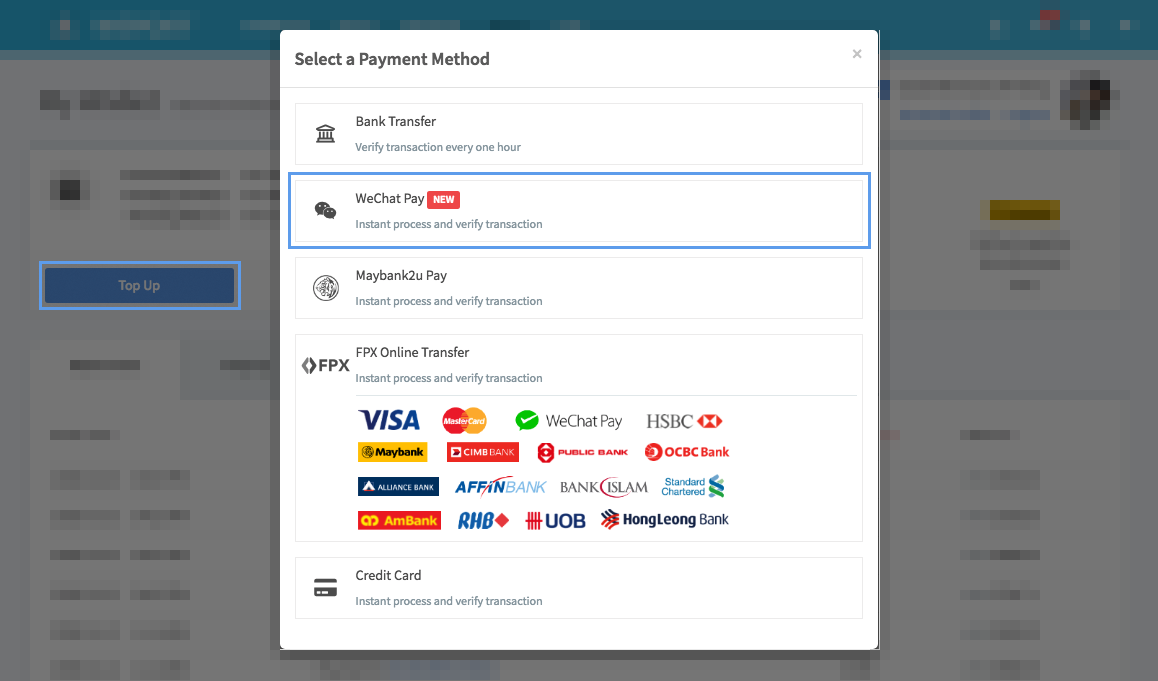
Go to Wallet Page, Click Top-Up Button
After loging in, go to wallet page and click on the top up button. Then, choose [ Wechat Pay ].
2
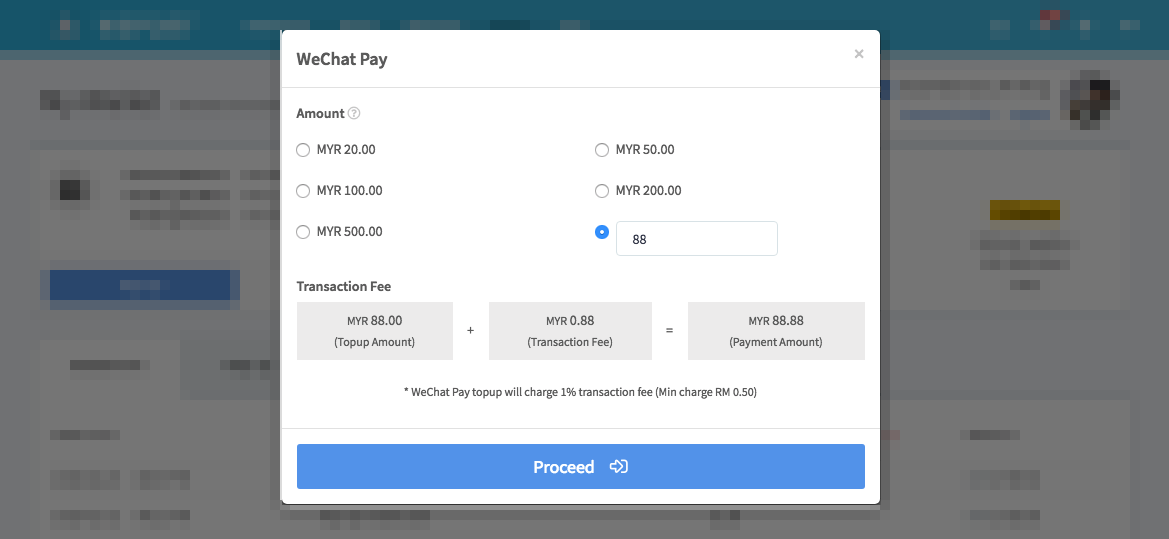
Enter Amount
Choose or enter the amount that you wanted to top up.
3
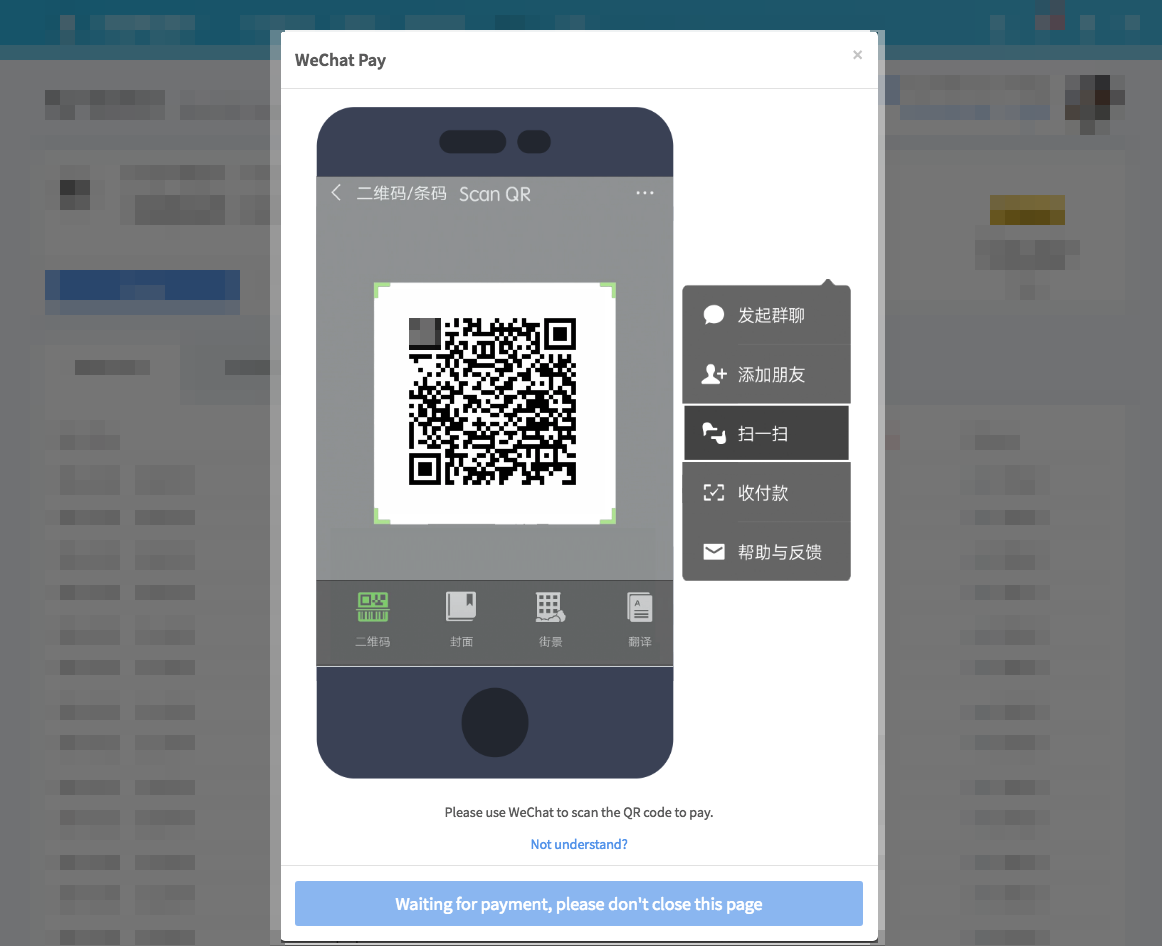
Scan QR Code
Open the [ Scan ] funcion in Wechat and scan the QR Code.
4
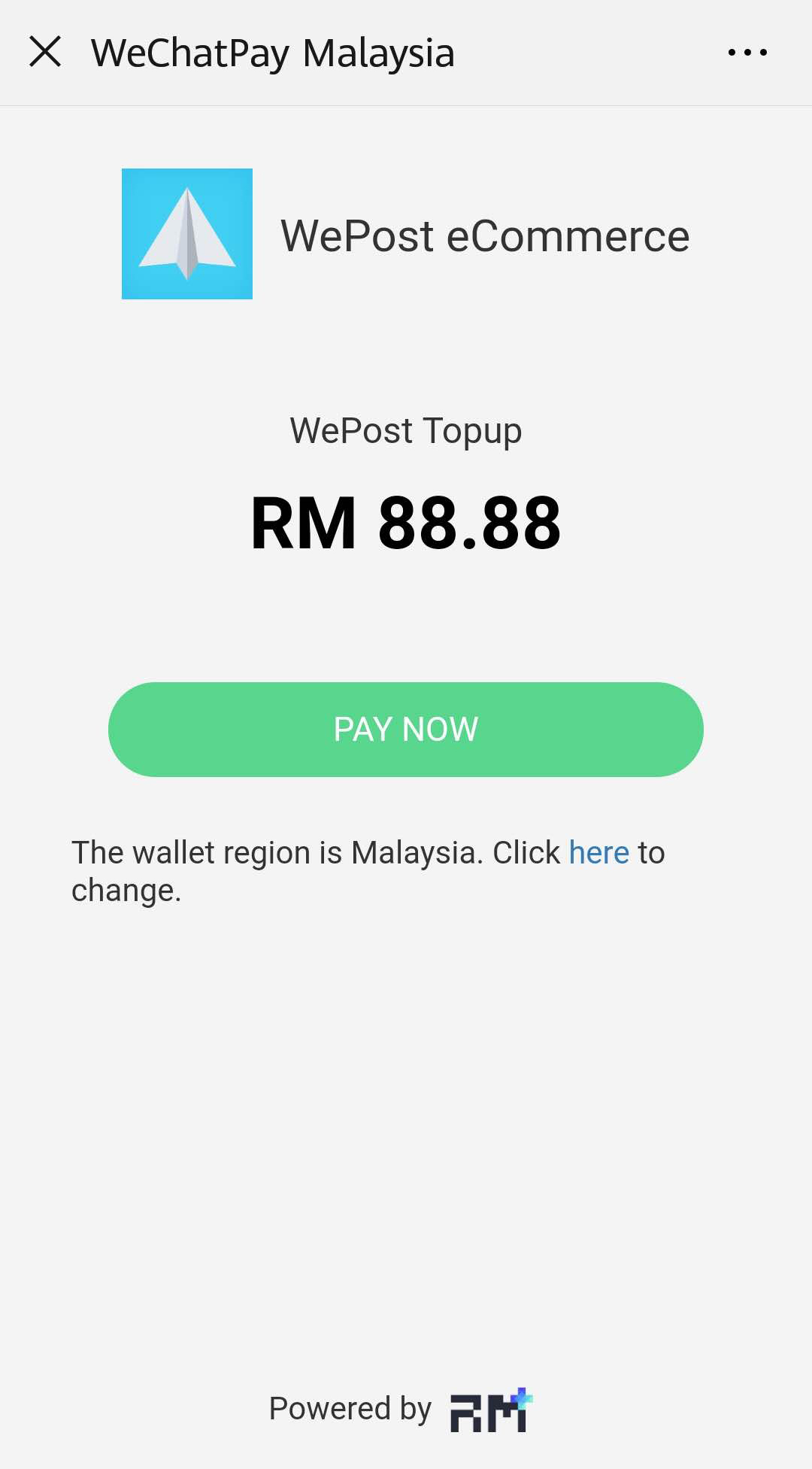
Confirm Wallet Region and Receiver
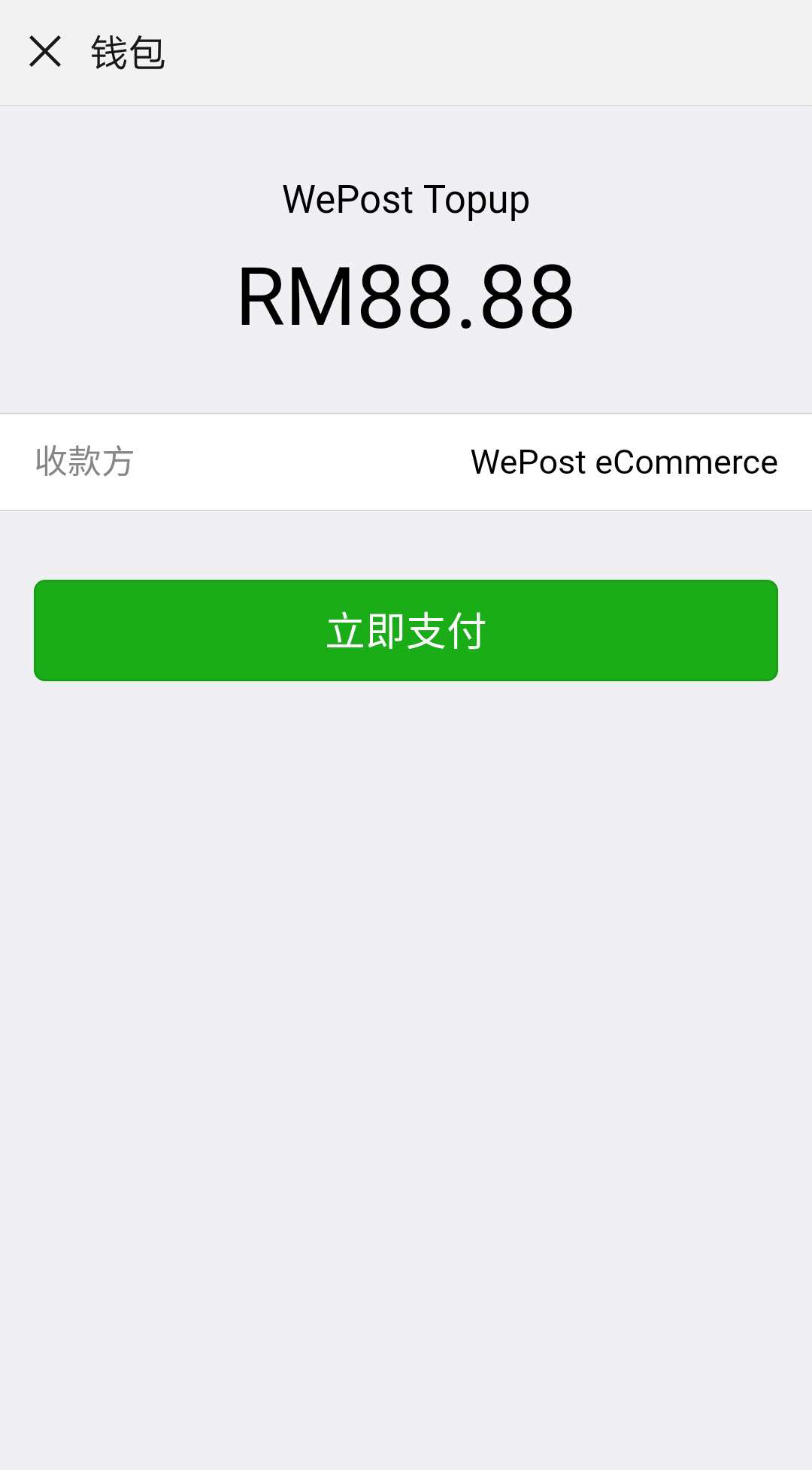
Here, you would need to confirm that your wallet region is in [ Malaysia ] and the receiver is [ WePost eCommerce ]。
5
Enter Pin, Complete
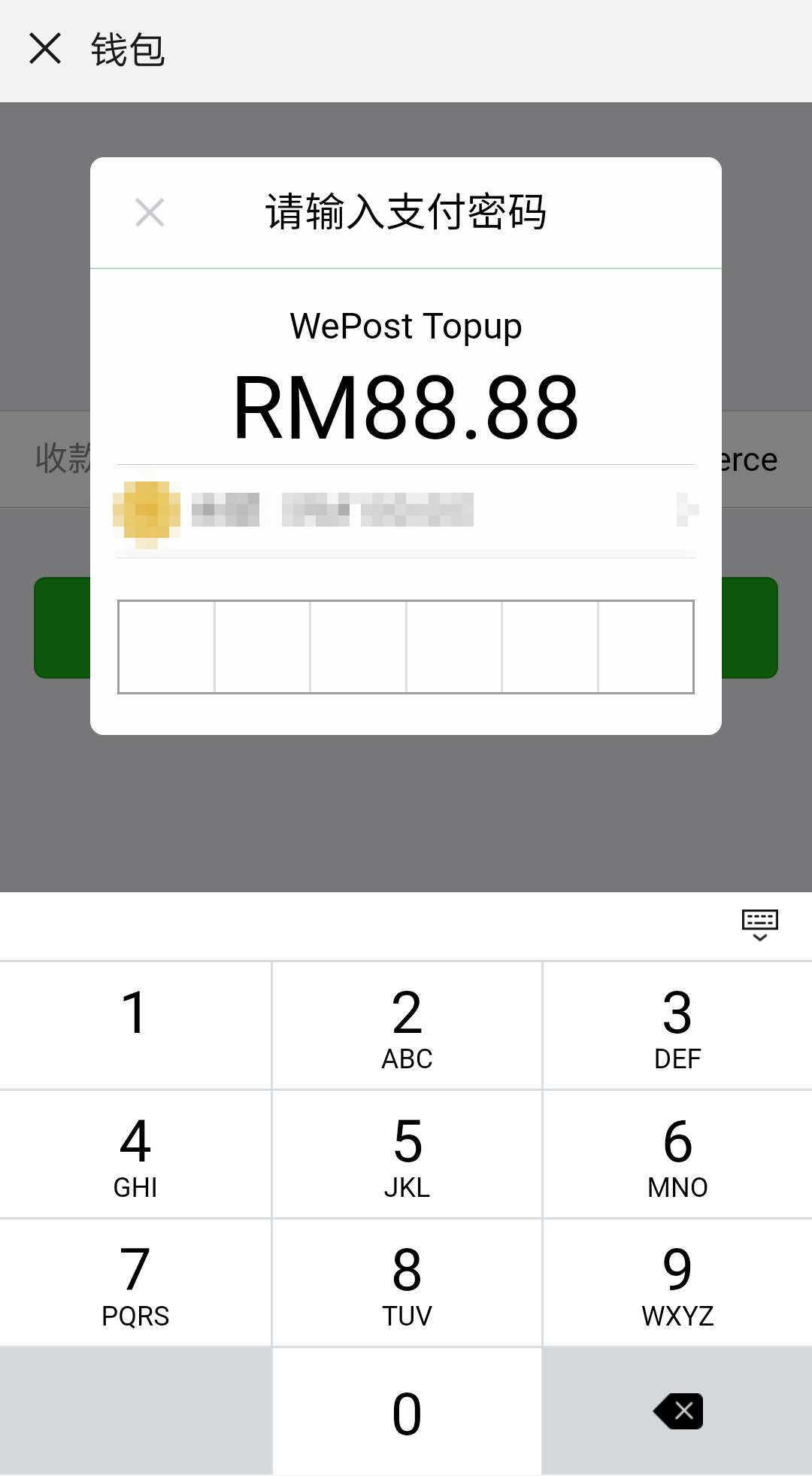
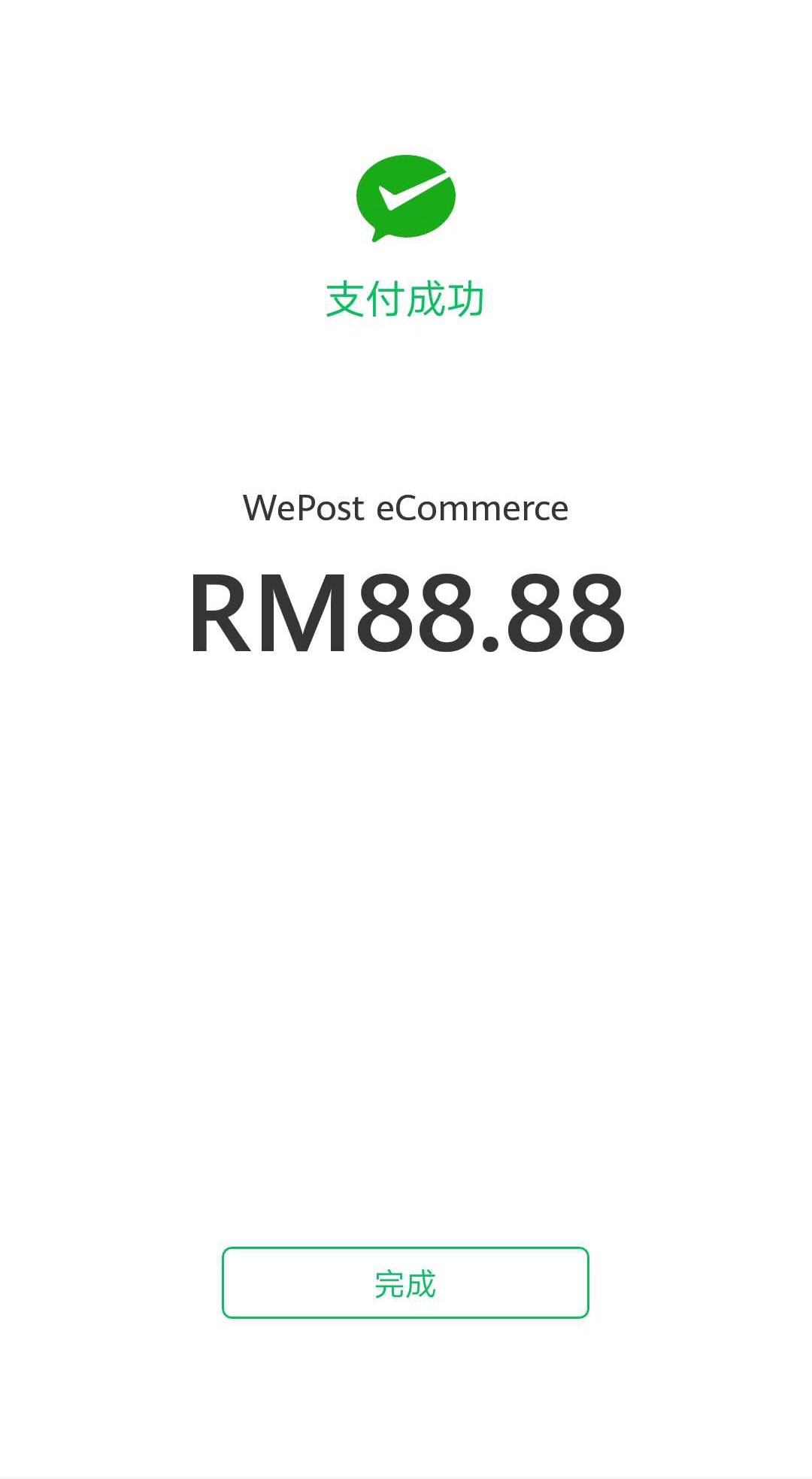
Enter your 6-digits PIN and it is all done.
 Bungkusan Baharu
 Bungkusan
 Kiriman
 Perkhidmatan Alipay
 Rebet
Rebet
 Penghantaran Tempatan
 Maklum Balas
 Konsultasi
 Shopping
 Troli
Troli
 Pesanan
 Kegemaran
 Dashboard
 Dompet Saya
 Buku Alamat
 Kupon
Kupon
 Baucar Peniaga
 Kelab
Kelab
 Rakan Saya
 Dermaan
 Kongsi
 Pusat Bantuan
 Tetapan
 WePost Pro
 Masyarakat
 Cabutan Bertuah